Plastic skin, papery leaves, waxy hands—flat-shading organic game assets is the fastest way to break player immersion. The fix is subsurface scattering (SSS): light that penetrates a surface, bounces inside, and exits tinted and scattered. Every major game engine supports it in some form. This guide gives you the exact settings, shader parameters, and performance trade-offs for Unreal Engine 5, Unity URP, and Godot 4.
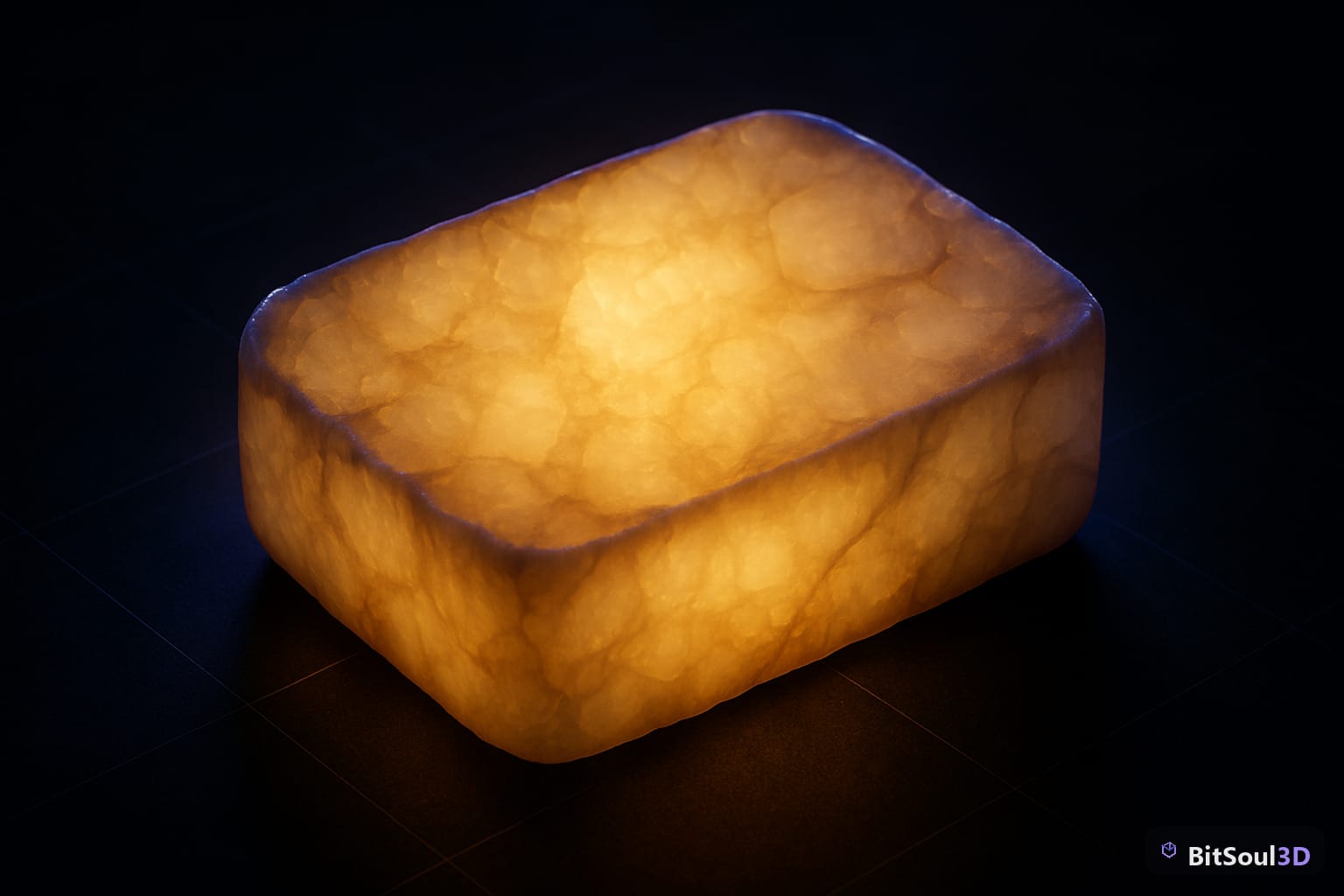
What Subsurface Scattering Is (and Why Flat-Shading Fails Organic Materials)
Standard PBR treats every surface as opaque—light either reflects or is absorbed at the point of contact. That works for metal, stone, and hard plastic. It completely fails for skin, wax, marble, jade, milk, and foliage, because those materials let light penetrate a few millimeters before it re-emerges at a different point, shifted toward red (in skin) or green (in leaves).
The visual tell for missing SSS: shine a light directly at a character's ear or hand and nothing passes through. Real ears glow red-orange in backlight. Game ears go dark. That single failure trains players to unconsciously read a character as fake before they can articulate why.
SSS in game engines is almost always an approximation—true path-traced SSS is too expensive per frame. The approximations fall into two main families:
| Method | Cost | Best For |
|---|---|---|
| Screen-space SSS (SSSSS) | Medium | UE5 hero characters |
| Pre-integrated skin (LUT-based) | Low | UE5 secondary chars, Unity HDRP |
| Backlight approximation | Very Low | Godot 4, Unity URP foliage |
| Diffusion profile (offline bake) | High | Unity HDRP only |
For real-time games, screen-space SSS and backlight approximation are the practical choices. Pick based on your platform target and character tier.
Subsurface Scattering in Unreal Engine 5: Shading Models, Scatter Radius, and Transmission
UE5 gives you three SSS shading models. Open any material, set Shading Model to one of:
- Subsurface — oldest, cheapest. Good for vegetation and secondary characters. Exposed parameter:
Subsurface Color. - Subsurface Profile — best quality for hero characters. Uses a screen-space diffusion profile asset. Exposed:
Subsurface Color, profile asset reference. - Preintegrated Skin — single texture lookup, cheaper than Profile, better than basic Subsurface. Ideal for mid-tier characters.
For a hero skin material, the Subsurface Profile path is the right choice:
// UE5 Material node setup overview
// 1. Shading Model: Subsurface Profile
// 2. Connect SSS Profile asset to the Subsurface Color slot
// In the SSS Profile asset:
//    Scatter Radius:          1.2 cm  (human skin baseline)
//    Boundary Color Bleed:   R(0.75) G(0.35) B(0.2)
//    Transmission Tint:      R(0.9)  G(0.6)  B(0.4)
//    Enable Burley SSS:      true    // ~10% more expensive, significantly better
Scatter Radius is in world units (centimeters by default). Use 1.2 cm for standard human skin, 0.4-0.6 cm for wax candles, and 2.0+ cm for translucent vegetables or jade.
The Opacity input controls SSS blend weight—connect a grayscale mask to exclude eyes, teeth, and accessories from scattering. One important caveat: Subsurface Profile materials are incompatible with Nanite in UE5.4 and earlier. Stick to traditional rasterization for SSS hero characters.
SSS in Unity URP: Approximation Without Full HDRP
Unity HDRP has proper diffusion profiles—but if you're targeting mobile or mid-range hardware you're on URP, which has no built-in SSS shading model. You build the approximation in Shader Graph using a transmitted light term.
The approach: sample the main directional light direction in view-space, dot it against the negated surface normal, and use the result to simulate light punching through thin surfaces from behind.
// Shader Graph: Custom Function node (HLSL)
void SubsurfaceTransmittance_float(
    float3 worldNormal,
    float3 lightDir,
    float3 sssColor,
    float sssIntensity,
    out float3 result)
{
    float wrap = 0.3;
    float NdotL_back = saturate(dot(-worldNormal, lightDir) + wrap);
    float scatter = pow(NdotL_back, 2.0) * sssIntensity;
    result = sssColor * scatter;
}
Add the output into your emission term before the final Fragment output. Use a dedicated SSS texture (R = scatter tint, G = thickness mask, B = intensity multiplier) to control which mesh regions scatter and how strongly.
For foliage in URP, Unity's built-in SpeedTree shaders already include a backlit translucency term. For custom foliage assets sourced from the BitSoul marketplace or other sources, enable Two Sided on the material and add the transmitted light term above with a thickness value of 0.6-0.8 for thin leaves.
SSS in Godot 4: Subsurface Scattering and Backlight Parameters
Godot 4's StandardMaterial3D exposes SSS natively—no custom shader required for the common case. In the Inspector:
- Subsurface Scattering enabled: exposes Strength (0-1) and an optional scatter texture
- Backlight enabled: exposes Backlight Color—adds a transmitted-light term equivalent to the URP approach above
For foliage: enable Backlight, set Backlight Color to a warm green-yellow (around #a0c840), and use Two Sided rendering. This alone transforms flat foliage into convincingly translucent geometry at essentially zero extra cost on mobile.
For skin: enable Subsurface Scattering, set Strength to 0.4-0.6, and optionally plug in a greyscale mask to restrict SSS to flesh regions only. Godot's SSS is screen-space and significantly cheaper than UE5's Profile mode, making it practical for mid-range mobile targets.
You can drive SSS parameters at runtime for gameplay effects:
# Flash SSS on character hit — signals damage absorption visually
func flash_sss(mesh_instance: MeshInstance3D, duration: float) -> void:
    var mat: StandardMaterial3D = mesh_instance.get_active_material(0).duplicate()
    mat.subsurf_scatter_enabled = true
    mat.subsurf_scatter_strength = 0.9
    mesh_instance.set_surface_override_material(0, mat)
    await get_tree().create_timer(duration).timeout
    mesh_instance.set_surface_override_material(0, null)
Performance Budgets and LOD Strategies for SSS Materials
SSS costs more than standard PBR. Budget accordingly and strip it by LOD:
SSS LOD checklist:
- LOD 0 (under 5m): Full SSS Profile (UE5) or SSS Strength 0.5-0.6 (Godot 4 / URP)
- LOD 1 (5-15m): Switch to Preintegrated Skin (UE5) or reduce SSS Strength to 0.2
- LOD 2 (over 15m): Disable SSS entirely; bake tint into albedo
- Impostor/billboard (over 30m): Flat PBR, no SSS
- Limit screen-space SSS to 2-3 simultaneous hero characters on console or mobile
- UE5: set r.SSS.Scale 0.5 on low-end targets to halve the SSS resolve pass cost
- Godot: set rendering/environment/subsurface_scattering/quality = Low in Project Settings for mobile
For crowd NPCs and background characters, skip runtime SSS entirely—bake a faint scatter tint into the albedo using Blender Cycles bake. Connect a Subsurface node to the Material Output, bake to a texture, and use it as the albedo in-engine. The result costs nothing at runtime and reads convincingly at distance.
Skip the shader setup and start with production-ready assets: the BitSoul marketplace includes hero-grade characters with complete LOD chains, pre-configured Subsurface Profile materials for UE5, Godot 4 SSS scenes, and Unity URP Shader Graph setups—ready to drop into your project and iterate from day one.
Build with real assets: grab game-ready nature 3D models on the BitSoul marketplace and drop them straight into your project.